GET PAID
Freelancer Payment
Follow-Up System
Stop chasing payments. Start knowing who owes you.
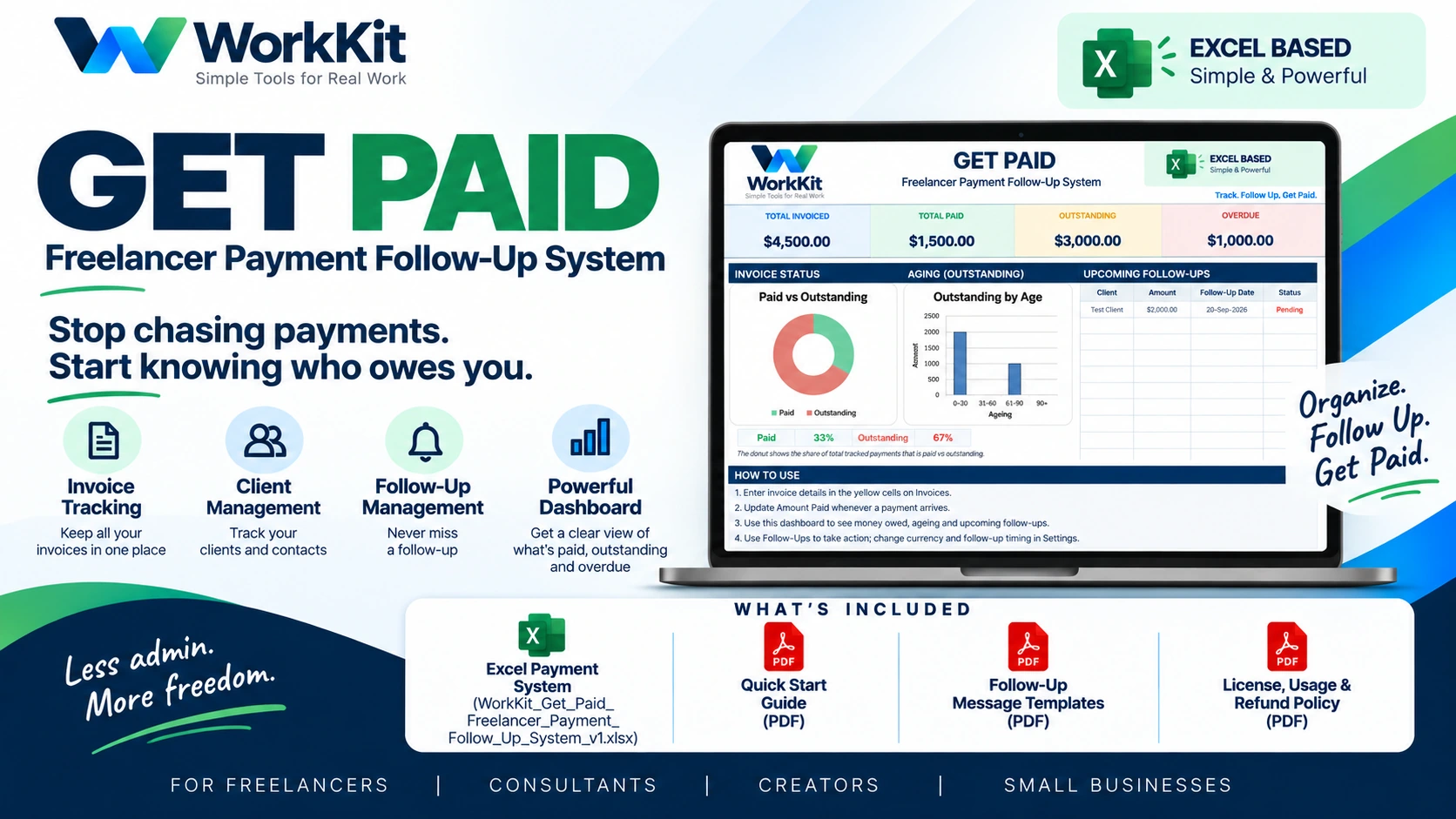
An Excel-based system to organize invoice details, client records, payments, aging balances, and upcoming follow-ups. See what needs attention in one practical workbook.
Instant checkout on Payhip.
The invoice is sent. Then the keeping-track begins.
Due dates, replies, partial payments, and the next reminder can end up spread across inboxes and notes. GET PAID gives that routine a home.
What’s open, and by how much?
See invoice status and remaining amounts without piecing together every conversation.
Who did you contact?
Keep client and follow-up details near the invoices they belong to.
What needs attention today?
Make planned reminders easier to notice and record what happens next.
A practical view of
the money in motion.
Use the Excel workbook to record invoices and payments, review outstanding and overdue totals, and plan your next client follow-up.
Explore the workbook ↓Record invoice details, amounts, due dates, and status in one Excel workbook.
Keep client names and contact details close to the invoices you track.
Update paid amounts and see what balance remains outstanding.
Plan upcoming reminders and keep follow-up status visible.
Review invoiced, paid, outstanding, overdue, and aging totals at a glance.
See the shape of your open work.
Review invoiced, paid, outstanding, and overdue totals. Check invoice status and aging, then plan upcoming reminders. Preview figures are illustrative sample data.
 GET PAID Freelancer Payment Follow-Up System
The files to track and follow up.
GET PAID is an Excel workbook package, with concise guides and ready-to-adapt follow-up materials.
- ✓ GET PAID Freelancer Payment Follow-Up System (.xlsx)
- ✓ Quick Start Guide (PDF)
- ✓ Follow-Up Message Templates (PDF)
- ✓ License, Usage & Refund Policy (PDF)
For people who invoice for their work.
Freelancers, consultants, developers, designers, marketers, creators, and small service businesses.
Before you decide.
Is this accounting or invoicing software?
No. It is an Excel payment follow-up workbook for organizing invoice status, balances, and next steps. It does not create or send invoices, process payments, or replace accounting advice.
What files are included?
The package includes the GET PAID Excel workbook (.xlsx), a Quick Start Guide PDF, Follow-Up Message Templates PDF, and License, Usage & Refund Policy PDF.
Can I buy it right now?
Yes. The GET PAID checkout is available on Payhip. Review the product listing and terms there before purchasing.
What is the refund policy?
The package includes a License, Usage & Refund Policy PDF. Review the policy on the Payhip product listing before purchase.
Practical advice for following up.
Stop chasing payments.
Start knowing who owes you.
GET PAID · Excel Freelancer Payment Follow-Up System
Get GET PAID — ₹999₹999 · Checkout on Payhip